
Photo Editor AI
Use this photo editor AI to change a scene, an outfit, the light or the style by typing one sentence. Your first image is free, no sign-up.
More tools
- AI Image Humanizer
- Make Image Look Less AI
- Image Realistic
- 4K Image Upscaler
- Upscale Image to 8K
- Image Upscaler
- Unblur Image
- Unblur Face
- Photo Enhancer
- Make Image Higher Quality
- Unpixelate Image
- Remove People from Photo
- Remove Object from Photo
- Remove Text from Image
- Remove Shadow from Photo
- Remove Glare
- Filter Remover
- Remove Watermark
- Photo Restoration
- Colorize Photo
- Remove Scratches
- Change Background
- Merge Two Photos
- Gender Swap
- Blur Face
- Remove Color from Image
- Image Extender
- Image Brightener
- Convert Image to Black and White
Examples
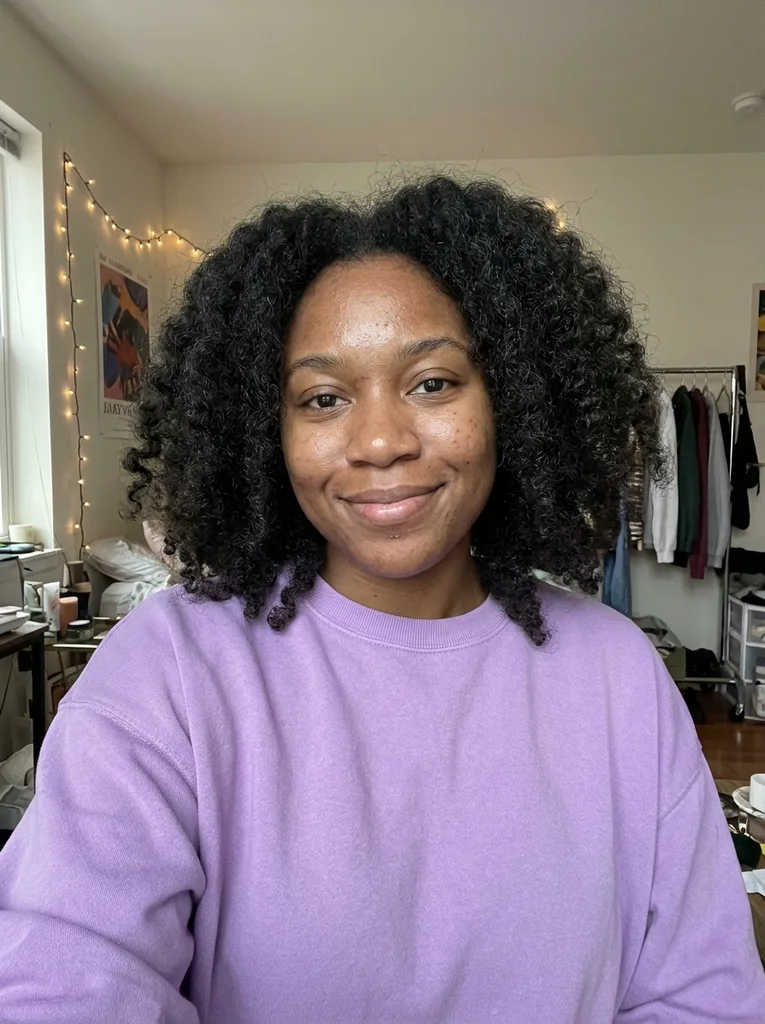 Before
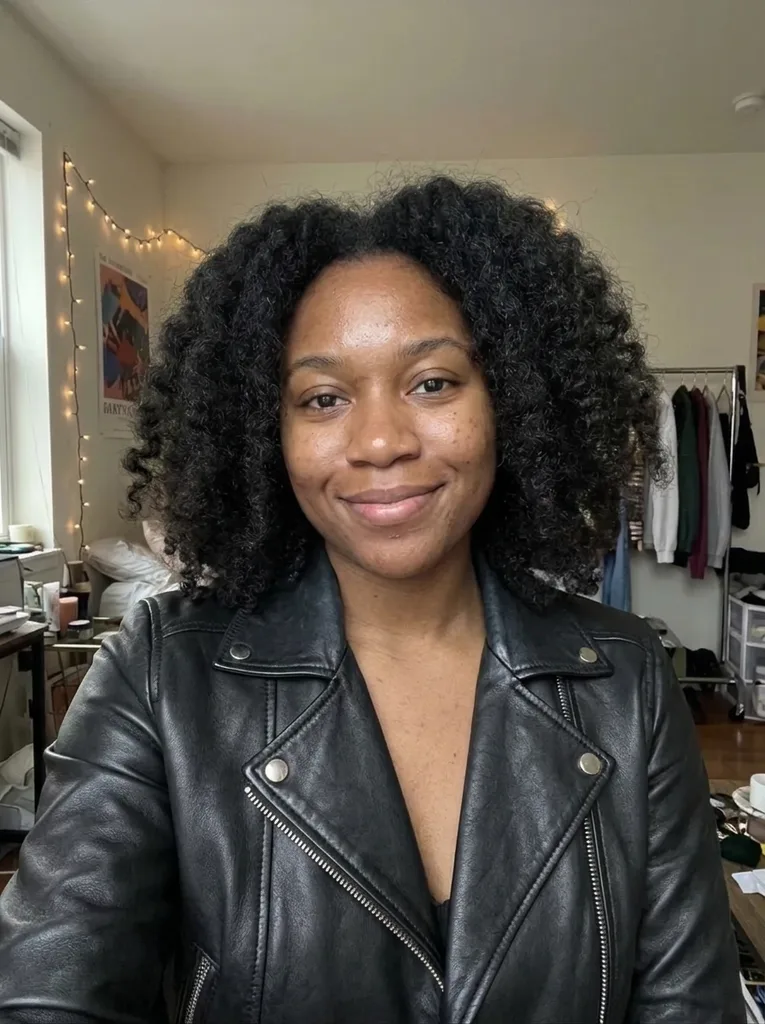 After
What an AI photo editor can change with one sentence
Tell the photo editor AI what you want the way you would brief a retoucher.
Weather and season
Add soft snow falling, turn a gray afternoon into sunset or make a summer street look like autumn. Describe the mood and let the AI redraw the sky and light.
Outfits
Change a shirt to a navy blazer or a hoodie to a winter coat. Name the garment and its color, and the photo editor AI aims to keep the face and pose as they are.
Art styles
Turn a snapshot into a watercolor painting, a pencil sketch or a poster. Good for profile pictures, cards and gifts.
Golden hour and film looks
Ask for a golden-hour glow in words, or leave the sentence about the scene and pick the Cinematic or Moody finish for the color grade.
Edits with a reference photo
Add up to three more photos as references, for example a jacket or a room you like, and describe how to use them in the main photo.
Posts, Stories and thumbnails
Pick the output shape before you generate: 1:1 for a feed post, 9:16 for a Story, 16:9 for a thumbnail. Auto keeps the shape of your photo.
How to use this AI image editor in three steps
No account, no software, no brush to learn.
- 1
Upload your photo
Click or drag in a JPG, PNG or WebP up to 10 MB. Add up to three more photos if you want the AI to use them as references.
- 2
Describe the change and pick a finish
Tell the photo editor AI what to change, for example "replace the background with a sunny beach". Choose a finish (As Is, Pro Polish, Cinematic, Bright & Airy, Moody or Black & White) and an aspect ratio.
- 3
Generate and download
You get one image. Compare it with your original, look at faces and small details, then press Download. Your first image is free and needs no sign-up.
Why edit photos with an AI photo editor like this one
You write the edit, not the settings
With this photo editor AI there are no sliders, layers or masks. One sentence says what should change, and the rest of the picture is left to the AI to keep.
One change per run is most reliable
The tool's own upload tip says to name what to change and what to keep. A single clear change gives the AI less to guess than a list of five.
Finish is a separate choice
The color grade does not have to live in your sentence. As Is keeps the photo's own look; the other five finishes add a polished, cinematic, bright, moody or black-and-white grade.
Reference photos in the same run
Show the AI the jacket, the room or the pose you mean instead of describing it. The first photo is the one that gets edited.
A free first image with no strings
Your first image is free with no sign-up and no credit card. After that there is no paid plan yet; a dialog lets you leave an email for when more images are available.
A generative edit, so check the result
The AI redraws the picture, which means fine details can shift. Put it beside your original before you use it.
What is a photo editor AI and who is it for?
This photo editor AI changes a picture from a written instruction. You upload a photo, say what you want different and get a new image back. Under the hood an AI image model redraws the photo, so you do not mark areas or pick tools.
It suits quick edits you would otherwise search a tutorial for: a different background, a new outfit, another season, a painted look. It aims to keep the people, pose and framing unless your sentence says otherwise. The result is one image at 1K, shaped by the aspect ratio you choose.
Made for
- Social media posters
- Online sellers
- Anyone with a phone photo
- Gift and card makers
- Bloggers
- Designers sketching ideas