
Change Background
Change background in one click: pick a scene and AI redraws the photo around your subject. Your first image is free, no sign-up.
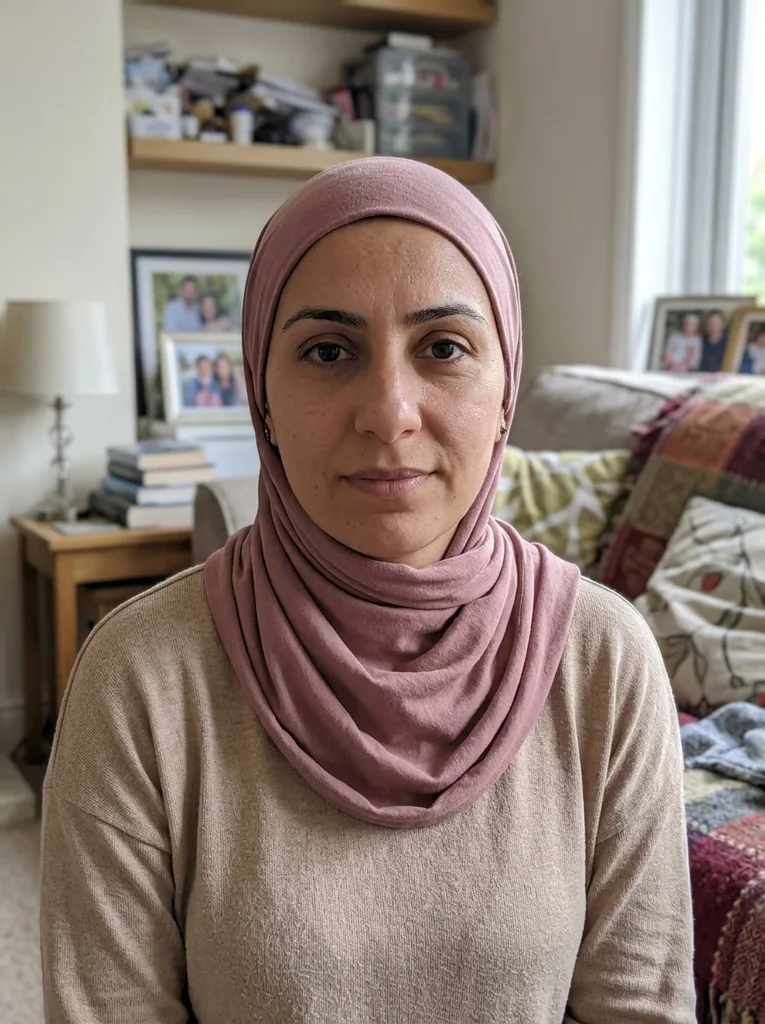 Before
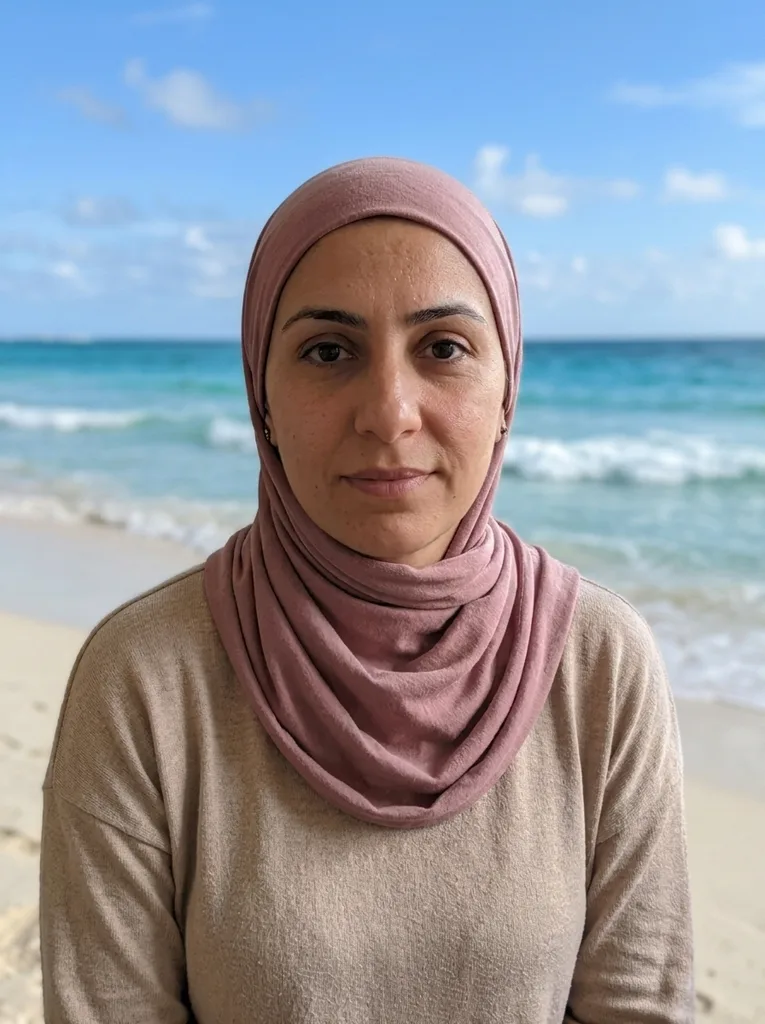 After
Example result. Upload your photo to make yours.
When to change background in a photo
Pick the scene that fits where the picture is going.
Profile pictures
Swap a messy room for Office Blur or Pastel Wall before you post a headshot. The aim is a photo that looks taken in that place.
Product and pet photos
Studio White gives a plain backdrop with a soft floor shadow. Use Pastel Wall or Living Room to put the item in a setting.
Travel pictures you never took
Sunny Beach, Mountains or Sunset Sky put you somewhere you were not. Check the result with the original beside it before you share it.
Social posts and stories
City Street, City Night and Cafe give a selfie a backdrop with soft lights behind you. Pick one and download.
Family and gift photos
Put grandparents on a Green Nature path or in front of a Bookshelf. Use it for a card, an invitation or a gift.
Creators and bloggers
Make a cover, an about-me picture or a thumbnail base with a scene that matches your topic, such as Bookshelf for a book blog.
How to change background in three steps
No cut-out tools and no layers.
- 1
Upload your photo
Drop in a JPG, PNG or WebP up to 10 MB, or click to browse. One photo per run, with a clear main subject: a person, pet or product.
- 2
Pick the new scene
Choose one of 12 scenes, from Sunny Beach to City Night. To go beyond them, describe your own in the box, up to 500 characters, such as "a rooftop bar at night".
- 3
Compare and download
The result appears next to your original. Look at the hair, the edges and the light on the subject, then press Download. The first image is the free one, so check it before you save.
Why change background here, not with a paste-in cut-out
The scene is redrawn around you
An AI model rebuilds the whole picture instead of pasting a cut-out on a backdrop. When you change background here, it aims to match the new scene's light direction, color and shadows to your subject.
12 scenes in one choice
Beach, studio, office, street, park, living room, cafe, mountains, sunset, bookshelf, pastel wall and city night. Pick one preset per run.
Your own scene in a note
Type what you want behind you and it is added to your request. Use it for a place the presets do not cover.
A side-by-side check
The result shows beside your original, so you can compare edges and fine details before you download. It is an AI edit, so small details can change.
Free first image, no sign-up
One image is free with no account and no credit card. Your photo is only used to create your images and is never used to train AI models.
Tips to change background cleanly
- Start from a photo with one clear main subject: a person, pet or product with a visible outline, so the change background step has an edge to follow.
- A sharp, well-lit photo keeps hair and fine edges looking best.
- Pick a scene whose light fits yours: a sunny photo suits Sunny Beach better than City Night.
- Say what you want in the note if no preset fits, for example "a rooftop bar at night".
- Keep the subject fully in the frame: the original framing and aspect ratio are kept, so cropped limbs stay cropped.
- Compare with your original: check the hair edges, the ground under the subject and the light on the face.