
Photo Enhancer
Photo enhancer for dull, dark or flat shots: upload one, pick a preset, download a better one. One free image, no sign-up.
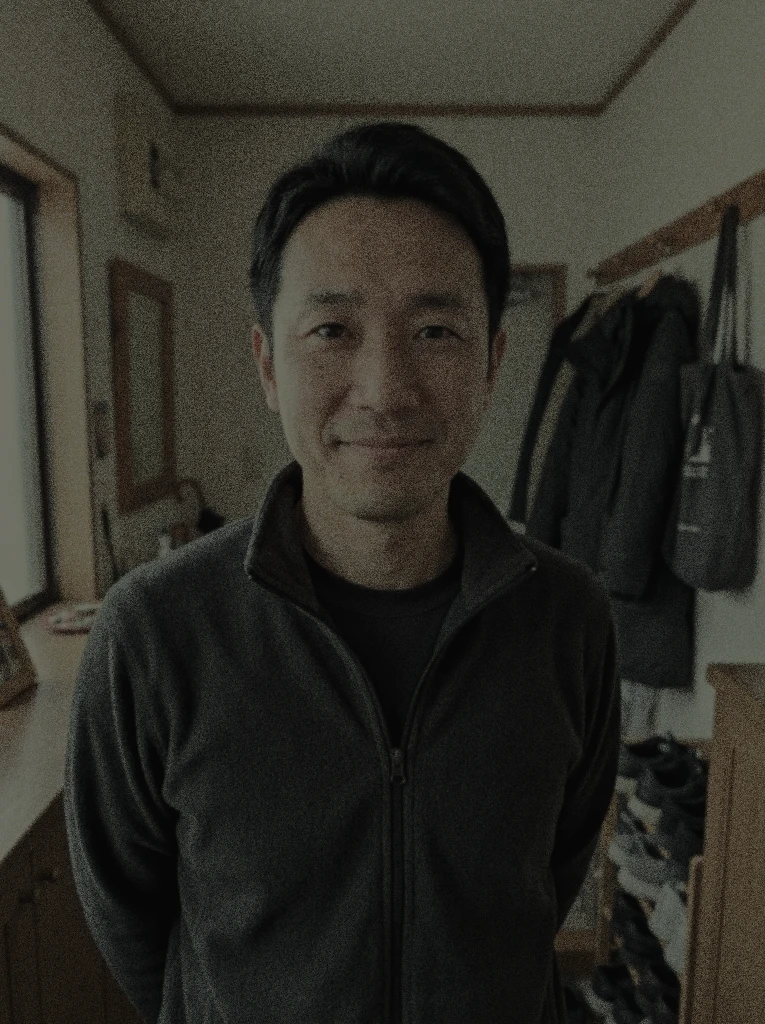 Before
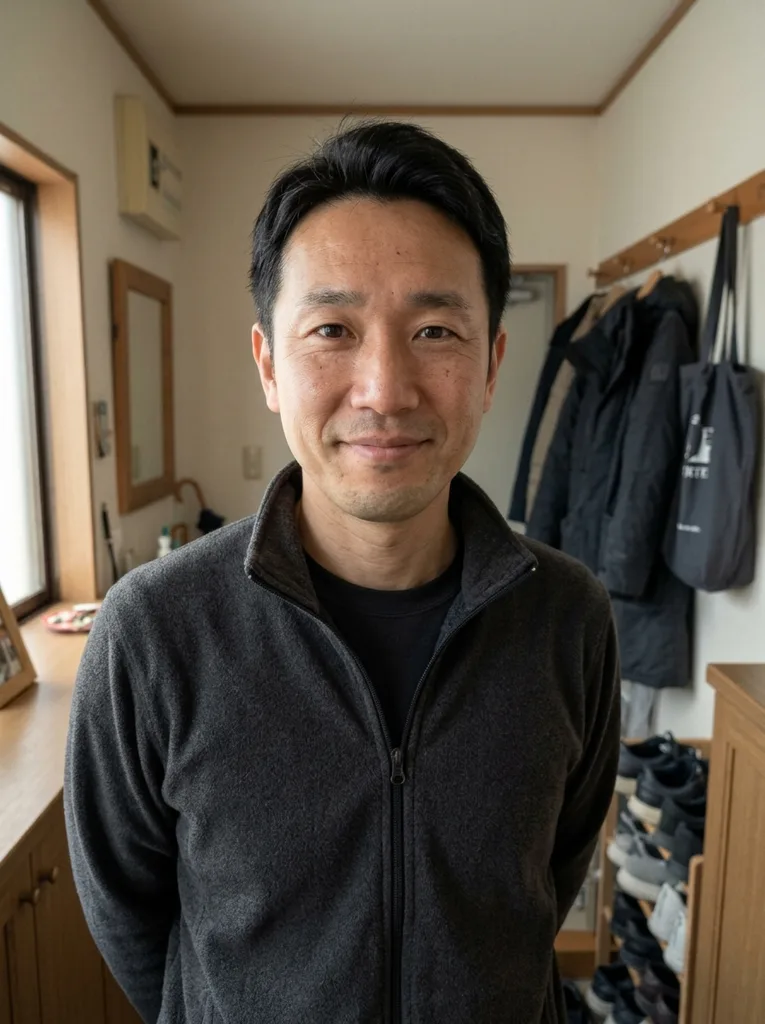 After
Example result. Upload your photo to make yours.
What this photo enhancer does to your picture
It works on light, color and fine detail, not on size.
This photo enhancer is an AI image model that edits your picture the way a retoucher would: it balances the exposure, lifts shadows, corrects the white balance, makes colors richer and sharpens fine detail.
You choose the kind of fix with one of four presets: Auto Enhance for the whole picture, Portrait for faces, Low Light for dark or noisy shots, and Color Pop for flat colors. A text box lets you add a request, for example to brighten it more.
It aims to keep people, objects and framing as they are. It is still a generative edit that redraws the picture, so small details can change: compare the result with your original before you use it.
The photo enhancer suits everyday pictures that came out dull: a phone shot in a dim room, a holiday photo with flat color, a portrait with uneven light. Press one button and the result appears next to your original.
Made for
- Dim indoor shots
- Flat travel photos
- Phone portraits
- Food and pet photos
- Product pictures
- Family snapshots
How to enhance a photo online in three steps
Upload, choose a preset, download.
- 1
Upload your photo
Click the upload area or drag in a JPG, PNG or WebP file, up to 10 MB. One photo per run, and it is prepared in your browser before it is sent.
- 2
Pick a preset and press Enhance Photo
Auto Enhance is selected by default. Switch to Portrait, Low Light or Color Pop if your photo fits one better, and add a note such as "make the colors more natural" if you like. The photo enhancer applies one preset per run, so choose the one closest to the problem you see.
- 3
Compare, then download
The result appears beside your original. Check faces, skin and small details, then press Download. Your first image is free, so choose the photo that matters most.
Where a photo enhancer helps: six common jobs
Match the photo to a preset and the job gets easier.
Portraits and profile pictures
Portrait balances the light on the face, evens out skin tone and brightens the eyes slightly while aiming to keep real skin texture.
Dark indoor and evening shots
Low Light brightens a dim photo, lifts the shadows and removes noise. Restaurants, parties and late-day walks are the typical cases. Shots taken without a flash are the ones that gain the most.
Travel and landscape photos
A hazy or flat sky and tired colors respond to Color Pop, which aims for vivid color and clean light without looking over-processed.
Food and pet photos
Auto Enhance lifts the exposure and warms up dull color on everyday shots of dinner plates, dogs and cats.
Product and listing pictures
Fix the light and color before you post a product, a room or a secondhand item, so the picture shows what you want people to see. Choose Auto Enhance and add a note about the light, such as "brighter room", before you run it.
Family snapshots
Phone photos from a birthday or a holiday often come out dim and uneven. One pass can even out the light so the picture is ready to share. Old digital photos from earlier phones are also fair game.