
Filter Remover
Filter remover for beauty filters, color presets and vintage effects. Your first image is free, no sign-up.
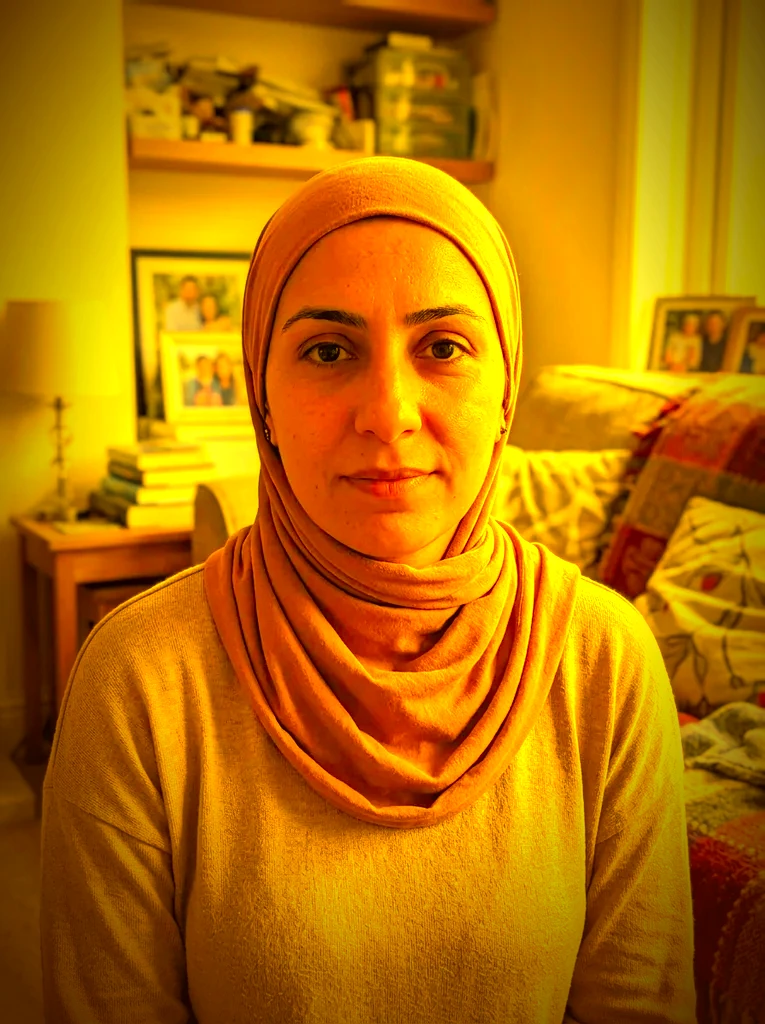 Before
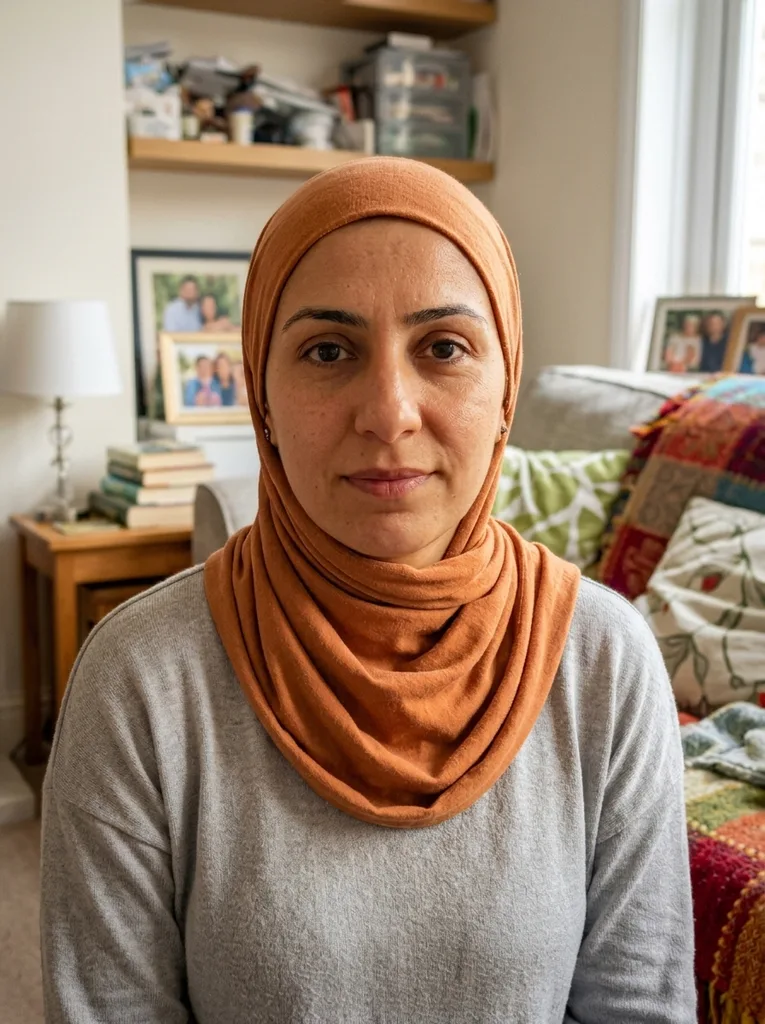 After
Example result. Upload your photo to make yours.
A filter remover for beauty, color and vintage effects
Upload the filtered photo, say what the filter did, download a new image.
This filter remover takes a photo with a beauty filter, a color preset or a vintage effect on it and redraws it as a best guess of the unfiltered shot.
Pick Beauty Filter for smoothed skin, a slimmed face, enlarged eyes and added glow. Pick Color Filter for a tint, faded blacks and heavy color grading. Pick Vintage & Grain for added grain, light leaks, a vignette and faded tones. Auto is for when you are not sure what was applied.
The result is not your original file. The filter changed the pixels when the photo was saved, so the tool rebuilds them from what is left. Compare the result with the photo you uploaded before you use it.
Made for
- Selfies with beauty filters
- Photos with color presets
- Vintage-effect edits
- Old edits you can't undo
- Saved social photos
Remove filter from photo: when it helps
Cases where only the filtered file is left.
A selfie you only saved filtered
The app kept the smoothed version and the unedited shot is gone. Beauty Filter aims to bring back skin texture and natural proportions.
A profile or application photo
When a photo should look like you and not like an effect, undo the smoothing and the glow before you upload it anywhere.
A color preset that went too far
Color Filter targets the tint, the crushed blacks and the heavy contrast, and aims for true-to-life color and a natural white balance.
A vintage look you no longer want
Vintage & Grain takes on added grain, light leaks, a vignette and faded tones from a retro effect.
Trip and event photos
A preset applied to the whole set can make colors hard to like later. Run the one photo that matters most through the filter remover and see how close it gets.
A clean start for the next edit
Download the result without the filter and use it as a clean starting point for cropping or retouching in your usual editor.
What is free, what happens to your photo, and the limits
One free image, no sign-up
Your first image is free, with no sign-up and no credit card. It is one image per visitor across the whole site, so choose the preset that matches your filter before you press Remove Filter. After that, a dialog asks for an email for when more images are available.
What happens to your photo
Your photo is only used to create your images and is never used to train AI models. It is sent to an AI model provider, which keeps the result for a limited time so you can download it.
A best guess, not the original
This is a generative edit: the picture is redrawn, so skin, color and small details can differ from the file the filter was applied to. The shape follows your upload, and the output size is in the FAQ.
When this is the wrong tool
If you still have the photo from before the edit, use that, it is always closer than a rebuild. A filter that warped a face or added objects may not come back, and there is no brush to pick what to change. This filter remover works on the whole photo.