
Unblur Face
Unblur face photos in one click: upload a soft or out-of-focus portrait, press the button, download a sharper one. One free image, no sign-up.
 Before
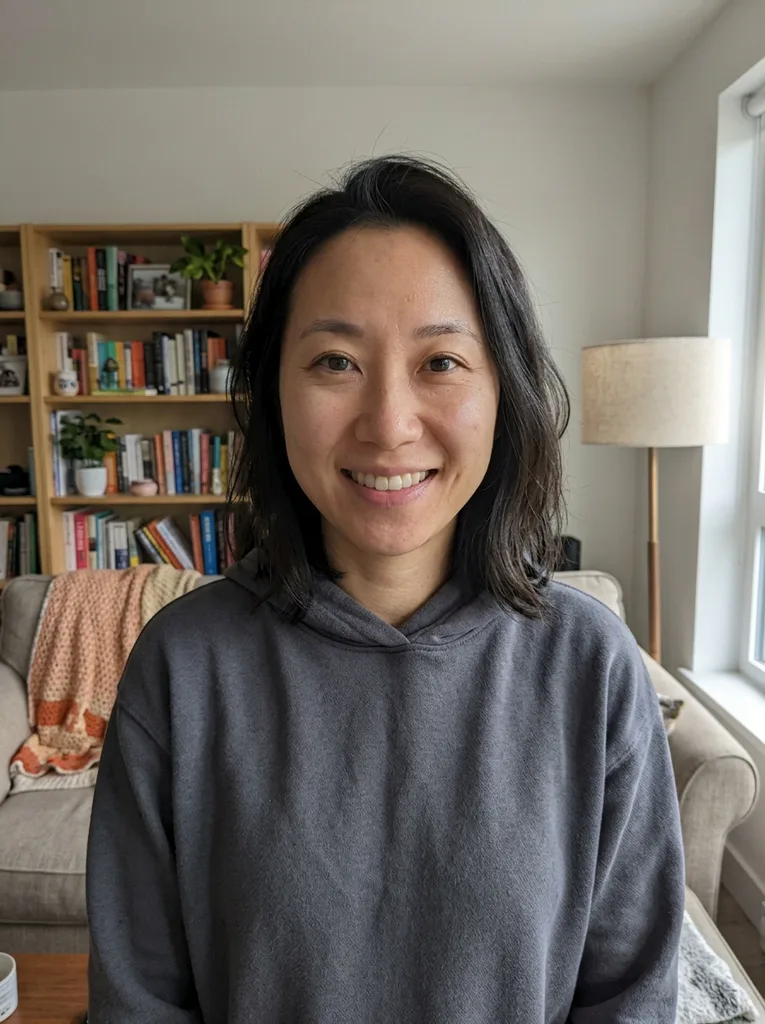 After
Example result. Upload your photo to make yours.
What it means to unblur a face with AI
A blurry face has lost the small marks that make it read as a person: the edge of the eyelids, the line of the lips, the texture of skin and hair. This tool does not bring those marks back from a hidden copy. It is an AI image model that looks at what is left and redraws the face sharper.
That is why the result can look like a real photo, and also why it can differ from the real person. It is a reconstruction, not a recovery.
Use it where the face is the point of the photo: a selfie with a missed focus, a portrait shot at dusk, a snapshot of a child who would not hold still, a scan of an old print.
After you unblur face details, check the result
A face is the part of a photo people judge fastest, so look at it first. Put the original beside the result and compare the eyes, teeth, ears, hairline and any jewelry. The tool aims to keep the same face and expression, but nothing checks it, so a face that looks a little different has drifted.
One limit matters most: you cannot unblur a face that someone hid on purpose with a mosaic or a heavy blur. There is nothing to read, so the tool would invent a face instead of revealing one.
Unblur face: AI tool vs sharpen slider vs retoucher
Pick by how much detail the blurry face still has and how much time you have.
| This tool | Sharpen slider | Retoucher | |
|---|---|---|---|
| What it does | Redraws the face from what is left | Raises contrast on existing edges | Repaints details by hand |
| Soft focus | Can rebuild eyes and skin detail | Mostly adds grain and halos | Possible, slowly |
| Likeness | Aims to keep it; you compare | Unchanged, but still soft | Controlled by the artist |
| Skill needed | None: upload, press, download | Some, to avoid over-sharpening | Hired, not learned |
| Settings | None to set | Amount and radius | Briefed in words |
| Best for | One face with some detail left | A photo that is only slightly soft | A face that must match exactly |
How to unblur face photos in three steps
There are no presets or sliders: the photo is the only input.
- 1
Pick the frame with the largest face
One free image is all you get, so choose the shot where the face is biggest and still faintly readable. Upload a JPG, PNG or WebP up to 10 MB.
- 2
Press Unblur Face
The tool redraws the face and sharpens the rest of the photo to match. There is no text box and no preset, so pressing Unblur Face is the whole job.
- 3
Compare the face, then download
Check the eyes, teeth and hairline against your original beside the result. If it still looks like the same person, press Download. The result is about 1024 px on the long side, so a large photo comes back smaller.